
ClubVorstandVisionTrainerMembersSpecialmembersHonorsProfilMember
On the club page TRI Klosterneuburg introduces itself: its training offer, club information and partners. Pages of their own show the board, the trainers, the members and the honorary members, and the vision tells what the club stands for.

The club page
The club page runs from top to bottom:
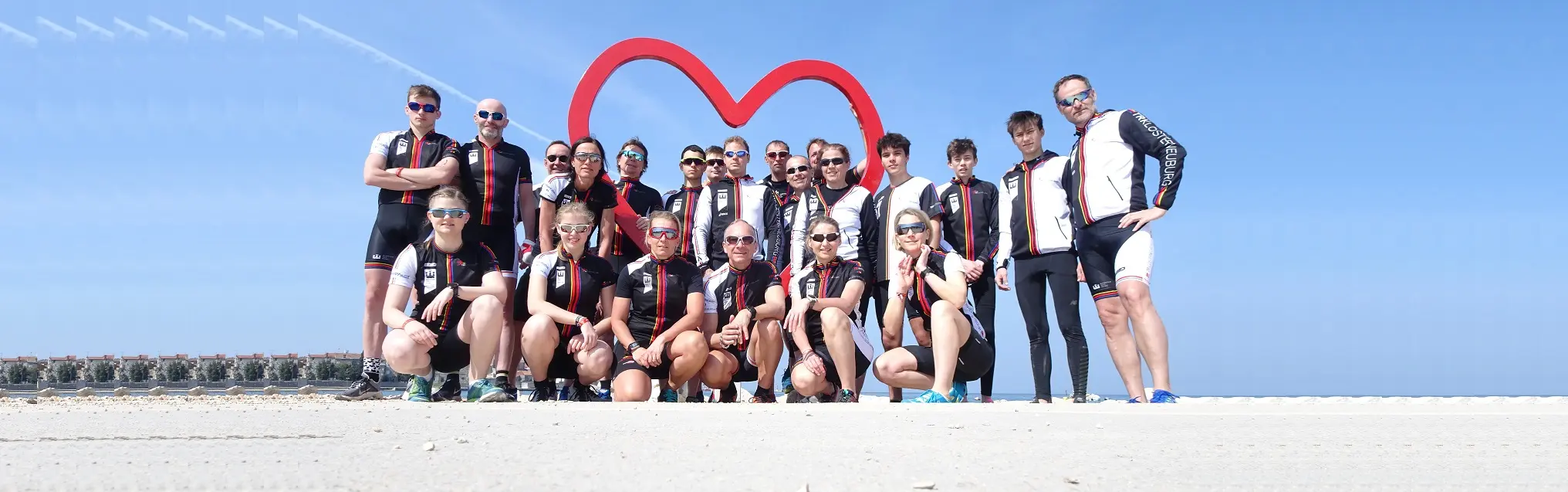
- Photos of club life take turns. register opens the post on joining the club, » Information more on the photo's topic; on a partner's photo Info opens its website.
- become a member of the association: Registration opens the post on how to join, Just ask us! the chat.
- Training offer: beginners, youth from 16, TRIKids up to 15 and adults, each with more details.
- A silent film from the training camp runs across the page; more details opens photos of it.
- Club information: honorary members, training calendar and dates, photos and videos, competition reports.
- the association: the Board of Directors and Vision, each with more details.
- Motivational videos from training and competitions: tap a picture and the video plays.
- At the bottom the club's partners.
Board, trainers and members
Each list shows cards with a picture, name, profession and a short description, ordered by surname:
- Board: the volunteer board members and auditors.
- Trainer: the club's trainers.
- Members: members with a valid membership.
- Honorary members: founding members, former board members and people who support the club in a special way.
When you scroll to the end of a list, it loads more cards.

View a profile
Tap a card, its picture or its name. A window opens with the name as its title, the short description and the longer text the person wrote about themselves. The ✕ at the top right closes it.

How you get onto a list
You only get onto a list when you make your profile public yourself: see Public profile. You can do that once you have paid for something in the shop; whoever the club has entered as trainer, board member or honorary member does not need to. Which list you belong to is set by the club, for example trainer or board. On Members you also appear only with a valid membership. When you switch your profile off again, you disappear from every list.
Buttons and dialogs
- register, » Information and Info (photos on the club and vision pages): open the club's posts, Info a partner's website.
- Registration: the post on how to join.
- Just ask us!: opens the chat.
- more details: opens the page or post of that section.
- A card in a list: opens the profile in a window, ✕ closes it.
- Only the club's staff see the pencil (edit) on a card.
- The partners at the bottom lead to their own websites.
If something goes wrong
- A list is empty → Nobody in that group has published their profile yet.
- I am not on the list → Check that your profile is public and that you have already paid for something in the shop. If the group is still missing, ask the club.
- I am not among the members → You appear there only with a valid membership. You book it in the shop.
- My picture is missing on the card → Upload a picture under My profile.
- A note about cookies appears instead of the video → You have not accepted the cookies yet. Tap Accept cookies in the note, then tap the picture again.
- A section is missing or has another name → The club looks after the pictures, texts and sections of the club and vision pages itself, so they can change.
Frequently asked questions
Where do I find information about the club?
On the club page: training offer, club information, board, vision and partners. Pages of their own show the board, trainers, members and honorary members.
How do I become a member of the club?
On the club page, Registration opens the post on how to join. You book the membership itself in the shop.
What does the club page show?
Photos of club life, become a member, the training offer, a film from the training camp, the club information, board and vision, motivational videos and at the bottom the partners.
Where can I ask the club a question?
Tap Just ask us! on the club page. It opens the chat, which answers questions about the club.
Who is on the board?
The board page shows the volunteer board members and auditors, each with picture, profession and short description.
Where can I see the trainers?
The trainer page lists the club’s trainers as cards, ordered by surname.
Who are the honorary members?
Founding members, former board members and people who support the club in a special way.
How do I see more about a person?
Tap their card. A window shows the short description and the text the person wrote about themselves.
How do I close a profile again?
With the ✕ at the top right of the window.
Why do some cards show no text?
The person published only name and picture and wrote no text about themselves.
How do I get onto the members list?
Make your profile public; you can do that once you have paid for something in the shop. You then appear on the members list as long as your membership is valid.
Who decides whether I appear under trainer or board?
The club places you in the right group. You only become public once you publish your profile yourself.
How do I get off a list again?
Switch your public profile off. Then you disappear from every list.
What do register, » Information and Info on the photos do?
register opens the post on joining, » Information more on the photo’s topic. Info stands on a partner’s photo and opens its website.
Why do I see a pencil on a card?
Only the club’s staff see the pencil. It opens the person in the administration.
Where do the partners at the bottom lead?
Each partner leads to its own website.
Why is a list empty?
Nobody in that group has published their profile yet.
Why am I not among the members?
You appear there only with a valid membership and a public profile. You book the membership in the shop.
Why is my picture missing on my card?
You have not uploaded a picture yet. You do that under My profile.
Why does a note about cookies appear instead of the video?
You have not accepted the cookies yet. Tap Accept cookies in the note, then tap the picture again.
